Faster to fill in. Cleaner to read. Smarter when a field needs to do more.
Dynamics 365 forms work, but the defaults ask more of your team than they should: extra clicks, ambiguous values, dropdowns that don’t fit the way people actually enter data. Each control below removes one everyday friction point.
Every option visible up front, instead of a dropdown to hunt through.
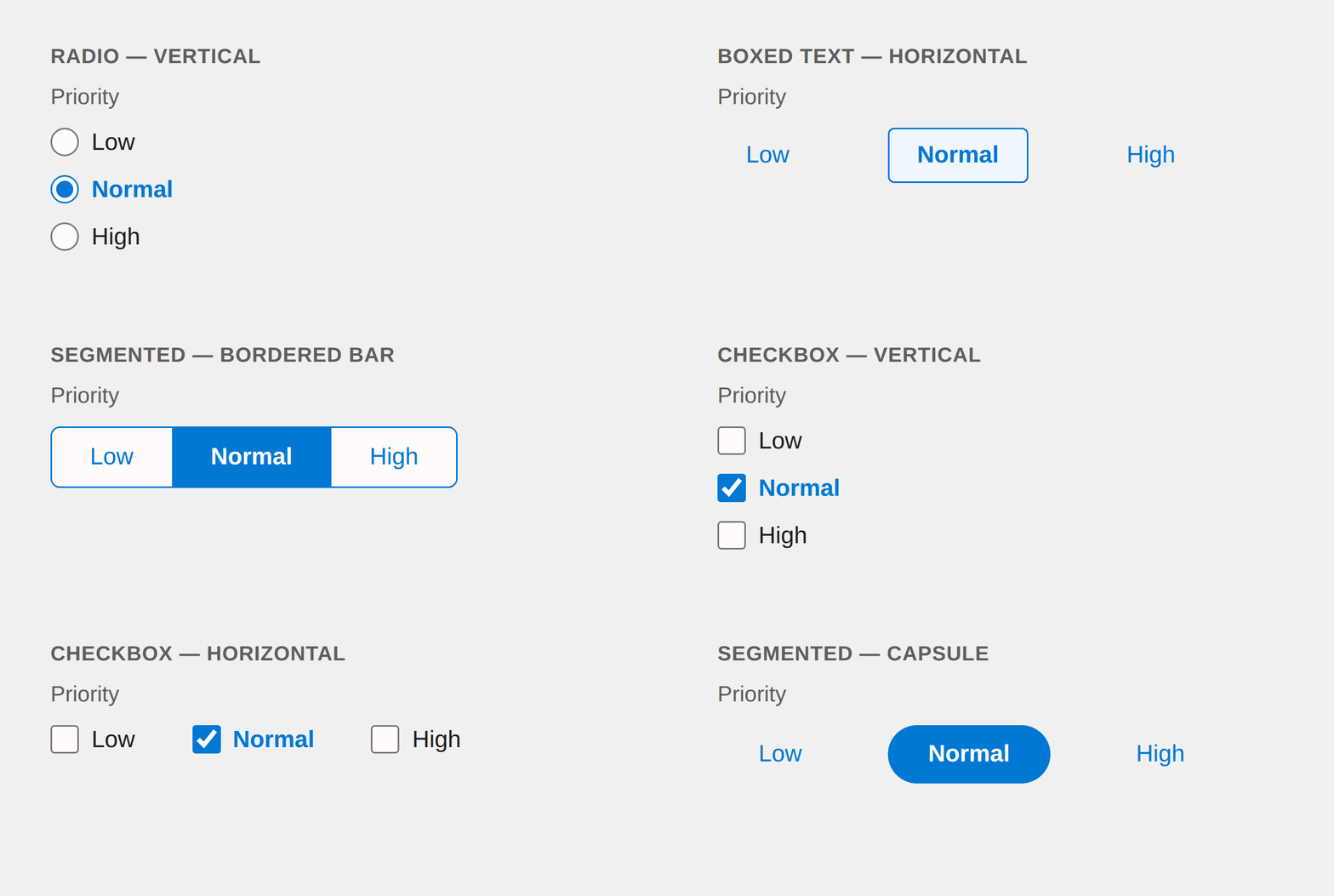
A field with two to four options doesn’t need a dropdown, but a native Choice field gives you one anyway. Smart Choice renders the whole set on screen. Radio buttons, segmented buttons, pills, or checkboxes for multi-select, vertical or horizontal, with the current selection clearly marked.
Used for priority levels, statuses, stages, service selections.
Smart Combo
Suggestions as you type, without locking the field down.
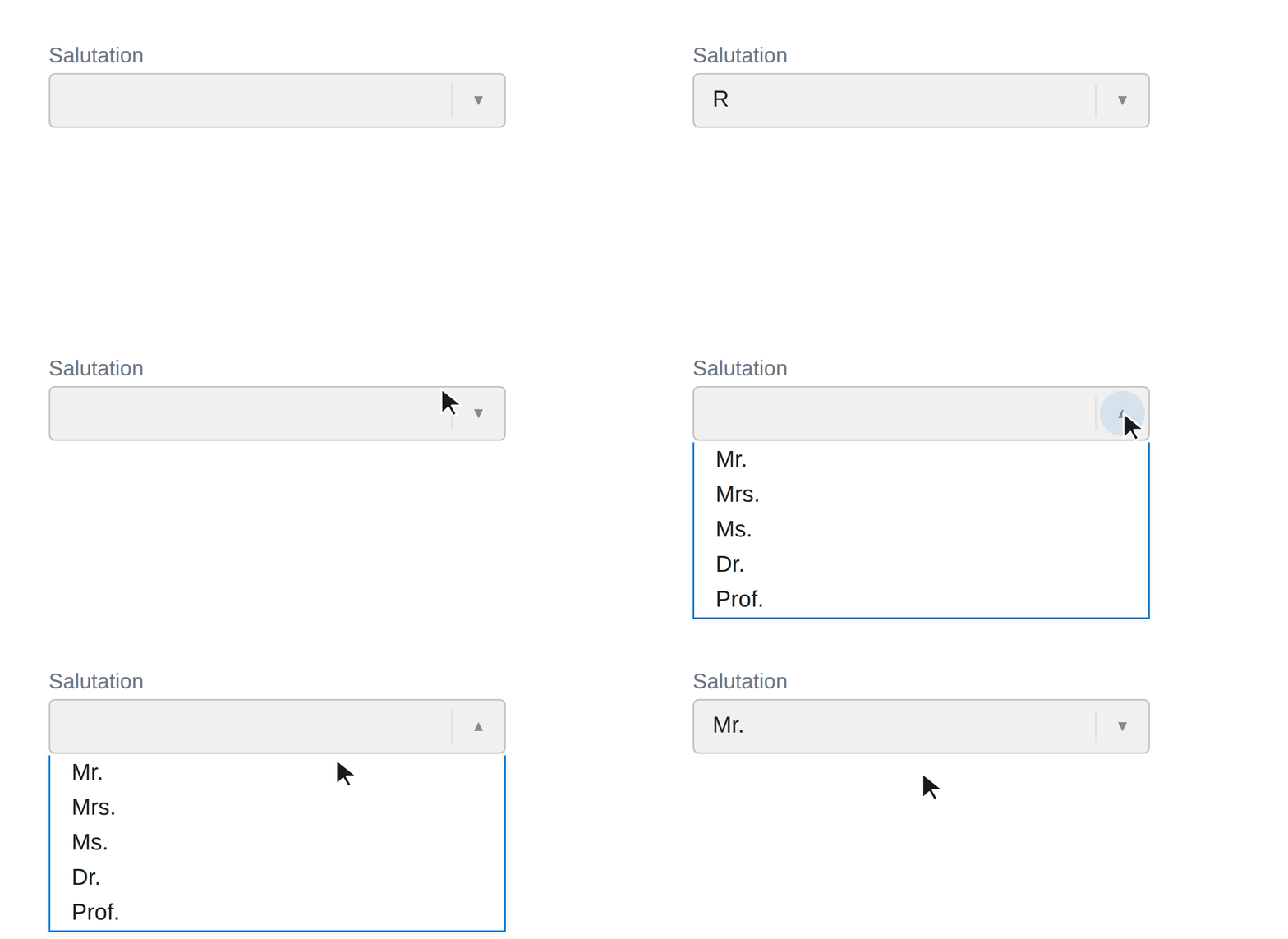
Some fields want consistency. A salutation, a common job title, a frequently used tag, but don’t need the rigidity of a full Choice field. Smart Combo shows a suggestions dropdown built from a simple list you configure per field. Pick a suggestion or keep typing your own value; the field stays plain text field underneath, so nothing is locked down.
Used for salutations, common titles, frequently used labels.
Smart Number
Unit inside the field and the warning around it.
A percentage field doesn’t look like one, and short of relabeling it, nothing on the form will say so. Smart Number puts a configurable prefix or suffix, %, $, or any unit inside the field itself, so the label stays clean and the same field can read in dollars at one company and pounds at another. Add a visual warning if you want one: progress bar, border, or background, with warn and danger thresholds in either direction.
It also fixes a quieter problem. Native currency fields take two underlying fields and aren’t usable in Power Fx; a Smart Number field is a single formula-friendly decimal.
Used for percentage metrics, unit-dependent goals, currency values that have to work in a formula.
Smart Month Picker
Month and year, without a calendar asking for a day.
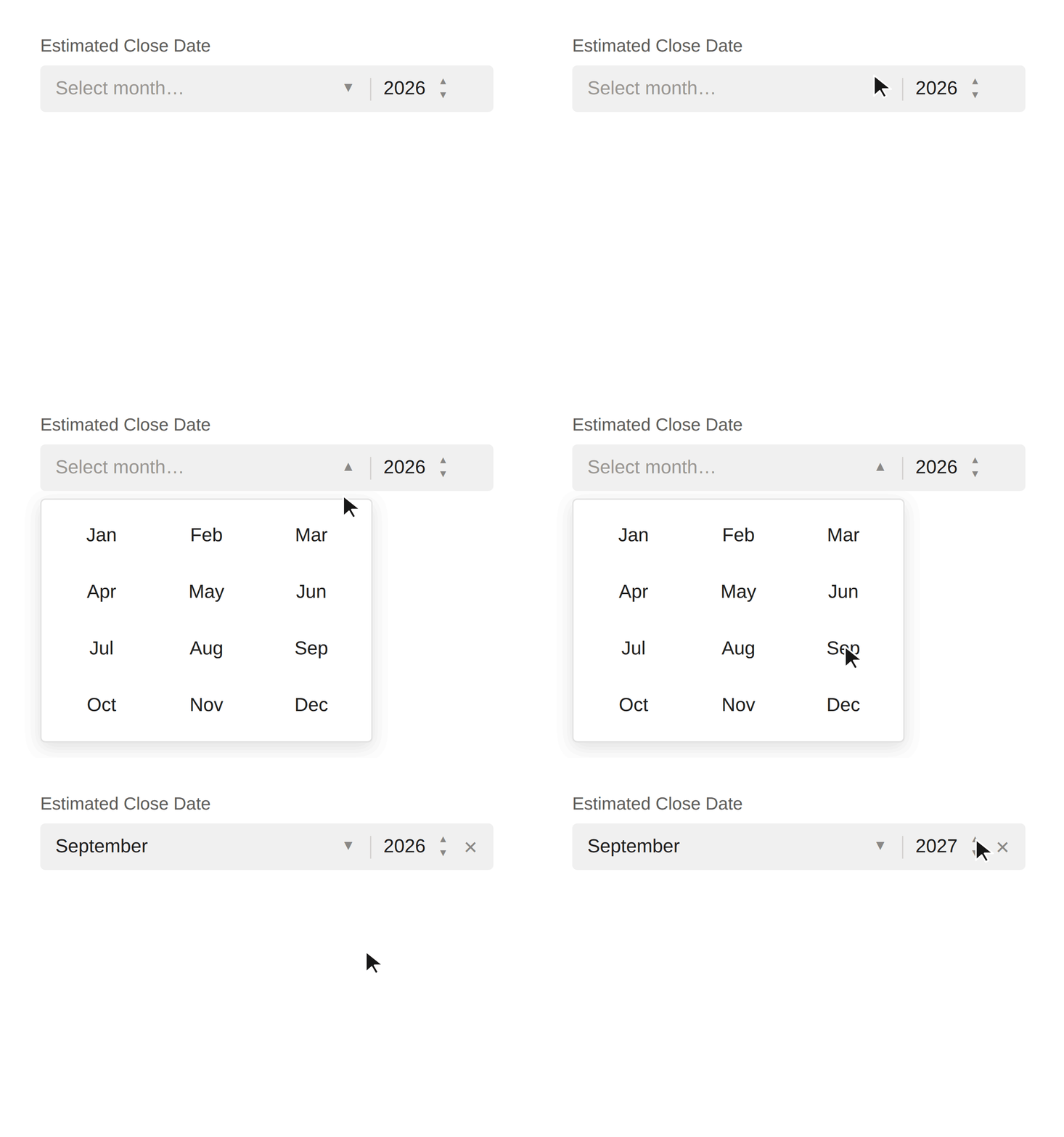
Fields like “Estimated Close Date” often only need a month and a year, but a native Date field makes users click through a full calendar and land on an arbitrary day. One record’s July is the 3rd, another’s is the 22nd. Smart Month Picker replaces the calendar with a month dropdown and a year spinner, then writes a real date underneath: the 1st, the 15th, or the last day of the month, whichever your deployment prefers.
Used for sales forecasting, renewal targets, budget periods.
Smart Link
Readable display text where a raw URL used to be.
Link fields print the entire SharePoint path on the form and tell the user nothing about where it goes. Smart Link shows the text matters, “Project Files,” “View Contract,” an order number, while still pointing at the full URL underneath. It can render as a styled button when a plain link doesn’t fit the form.
Used for SharePoint document libraries, external sites, related records.
Smart Lookup
The lookup field that does more of the relationship work for you.
The native lookup works, but common actions cost more clicks than they should. Creating a new related record means leaving the form entirely. Smart Lookup keeps the familiar search-as-you-type experience and adds a configurable quick-create button, plus optional inline navigate and delete icons, each configurable per field.
Flexible add & edit. Creating or editing a related record with the native lookup means leaving the page for its full form, every time. Smart Lookup lets you choose how that moment happens instead: a full CRM form, a dialog window, a sidebar panel, or something fully custom. Configurable per field, for adding new records and editing existing ones.
Lookups that talk to each other. Related lookups on a form don’t normally know about each other. Smart Lookup fields can be linked, so selecting an Account narrows a connected Contact lookup to just that Account’s contact, and adding a new Contact from there fills in the Account automatically. This is the kind of behavior that normally means custom coding against the native lookup control.
Used for projects, contacts, related cases. Any relationship users maintain daily.
What’s Included
These controls ship as part of Foundation Tools, included in every P2 Control Layer plan. Not sold separately. We keep a demo environment with every Smart Control installed. Book a session and we’ll walk each one live.